
Our Verdict
Choose the Scarlett 2i2 if you want help setting recording levels or will use its Air modes. Choose the MOTU M2 if you need 5-pin MIDI or prefer to watch separate input and output meters on the interface. Both can handle two microphones or a stereo keyboard, so the decision comes down mainly to workflow and connectivity.
Focusrite Scarlett 2i2 4th Gen vs MOTU M2 (2026) Head to Head
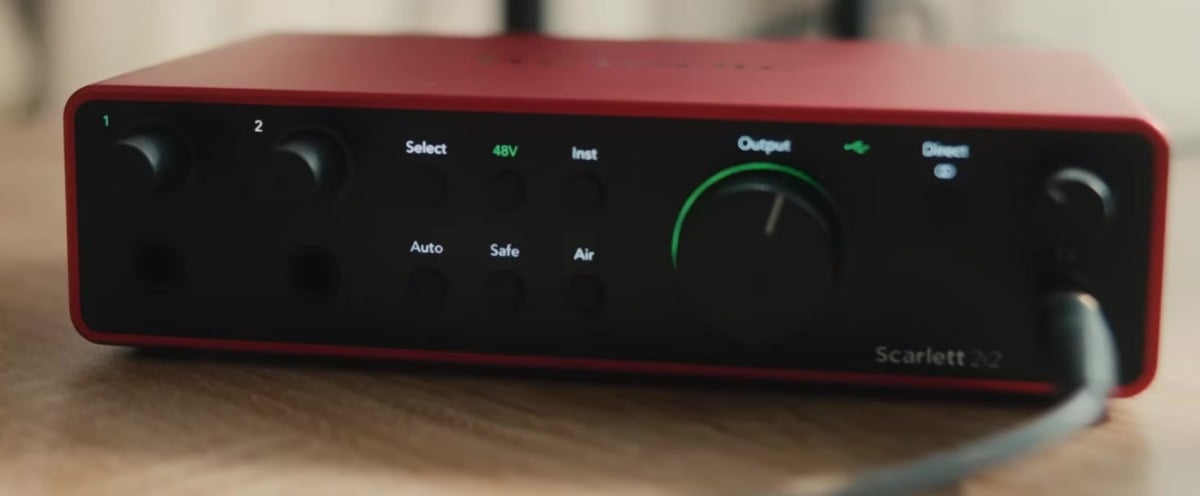
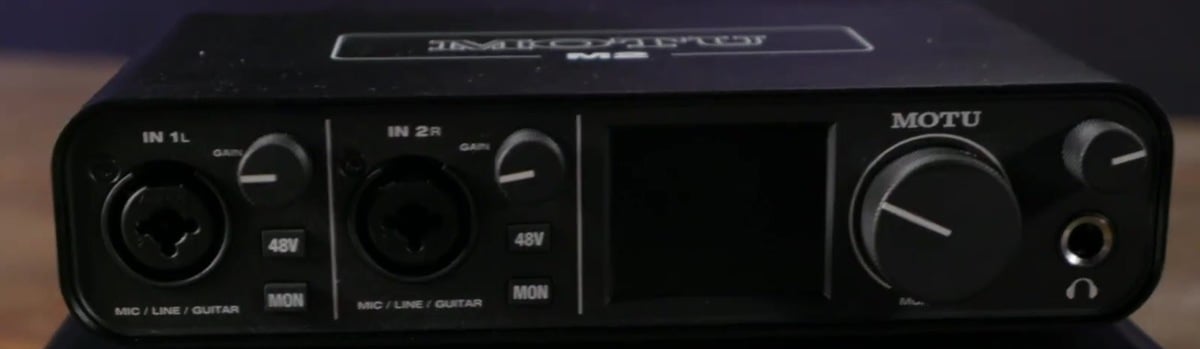
The Focusrite Scarlett 2i2 4th Generation and MOTU M2 are compact USB audio interfaces for recording vocals, instruments and stereo sources at home. Both give you two microphone preamps, monitor outputs and a headphone socket. The Scarlett adds automatic gain tools and Air voicing, while the M2 offers a clear LCD meter and MIDI connections. The useful question is which controls and connections fit your recording setup.
Key Differences
| Feature | Focusrite Scarlett 2i2 4th Generation | MOTU M2 |
|---|---|---|
| Maximum microphone gain | 69 dB | 60 dB |
| 5-pin MIDI | None | In and Out |
| Automatic gain setting | Yes | No |
| Automatic clipping protection | Yes; up to 96 kHz | No |
| Input voicing | Presence; Presence + Harmonic Drive (up to 96 kHz) | None |
| 48 V phantom-power control | Shared switch for both microphone inputs | Independent switch for each microphone input |
| Front-panel metering | Gain halos and output meter | Colour LCD: two inputs and two outputs |
The Scarlett has Auto Gain to set an input level and Clip Safe to reduce preamp gain when a signal approaches clipping. The M2 uses manual gain knobs. Those Scarlett tools can help when you are recording yourself and cannot watch the meters throughout a take; they do not remove the need to check your levels. Clip Safe is available at sample rates up to 96 kHz.
Scarlett Air offers a presence boost or presence with harmonic drive. The M2 does not offer a comparable input-colour switch. Air Presence and Drive also stops at 96 kHz; Air Presence remains available at higher rates. The Scarlett specifies 69 dB of microphone gain, compared with up to 60 dB on the M2, which gives it more gain range for quiet sources or low-output microphones.
The M2 has a colour LCD showing the two inputs and two outputs, plus independent phantom-power and direct-monitor buttons for each input. The Scarlett uses illuminated gain halos and an output meter, with a shared phantom-power switch. Its front Direct Monitor button selects mono or stereo monitoring, and Focusrite Control 2 can adjust the input/playback balance. The M2 has per-input monitoring and stereo mode, but no input/playback blend knob.
The M2 includes 5-pin MIDI input and output for older keyboards, synths and other MIDI equipment. It also has RCA sockets mirroring its balanced monitor outputs. These are alternative connections for the same stereo output, not an extra independent output pair. The Scarlett 2i2 has balanced monitor outputs but no RCA or MIDI sockets.
Key Features in Common
| Feature | Focusrite Scarlett 2i2 4th Generation | MOTU M2 |
|---|---|---|
| Simultaneous analog recording channels | 2 | 2 |
| Microphone preamp count | 2 | 2 |
| Maximum bit depth | 24-bit | 24-bit |
| Maximum sample rate | 192 kHz | 192 kHz |
| Balanced line output channels | 2 | 2 |
| Headphone sockets | 1 | 1 |
| Digital expansion | None | None |
| Computer connection | USB-C connector; USB 2.0 protocol | USB-C connector; USB 2.0 protocol |
Both interfaces can record two analog channels at once, with microphone, line and high-impedance instrument input options. On the Scarlett, plugging into a front line/instrument jack disables the corresponding rear microphone input; its four input sockets do not mean four recording channels. Both support 24-bit recording at sample rates up to 192 kHz.
Each provides two balanced monitor outputs, one headphone socket with its own volume control and direct monitoring for hearing an input without a round trip through the DAW. Both offer loopback for capturing computer playback. The M2 requires the M Series driver for its loopback channels, including on a Mac. Neither has ADAT expansion for adding a bank of external microphone preamps.
Practical Buying Considerations
Recording workflow: Direct monitoring lets you hear the input before your computer processes it. To hear a guitar amp simulator or other DAW effects while playing, monitor through the recording software instead; usable latency depends on the computer, driver, buffer size and session. Neither interface has an onboard plug-in effects engine.
Software and connection: The Scarlett includes Focusrite Control 2 and Hitmaker Expansion offers. The M2 includes Performer Lite, Ableton Live Lite and sound content. Check the current bundle and supported OS before buying. Both use a USB-C socket with USB 2.0 audio, and can work through a suitable USB-A connection; the connector alone does not imply a USB 3 or Thunderbolt interface.
Cables and accessories: Allow for microphone, instrument and monitor cables as needed.
Full Specifications
Comparison essentials
| Feature | Focusrite Scarlett 2i2 4th Generation | MOTU M2 |
|---|---|---|
| Simultaneous analog recording channels | 2 | 2 |
| Microphone preamp count | 2 | 2 |
| Maximum microphone gain | 69 dB | 60 dB |
| Maximum bit depth | 24-bit | 24-bit |
| Maximum sample rate | 192 kHz | 192 kHz |
| Balanced line output channels | 2 | 2 |
| Headphone sockets | 1 | 1 |
| 5-pin MIDI | None | In and Out |
| Automatic gain setting | Yes | No |
| Automatic clipping protection | Yes; up to 96 kHz | No |
| Input voicing | Presence; Presence + Harmonic Drive (up to 96 kHz) | None |
| 48 V phantom-power control | Shared switch for both microphone inputs | Independent switch for each microphone input |
| Front-panel metering | Gain halos and output meter | Colour LCD: two inputs and two outputs |
Recording capacity
| Feature | Focusrite Scarlett 2i2 4th Generation | MOTU M2 |
|---|---|---|
| Microphone preamps | 2 microphone preamps; 69 dB gain; shared 48V switch | 2 microphone preamps; up to 60 dB gain; independent 48V buttons |
| Analog inputs | 2 channels: 2 rear XLR and 2 front line/instrument jacks sharing those channels | 2 combo XLR/TRS mic/line/instrument inputs |
| Analog outputs | 2 balanced TRS line outputs | 2 balanced TRS outputs plus mirrored RCA pair; 2 independent channels |
| Headphone outputs | 1 stereo 6.35 mm jack; separate volume | 1 stereo 6.35 mm jack; separate volume; follows outputs 1-2 |
| Digital expansion | None | None |
Connection and monitoring
| Feature | Focusrite Scarlett 2i2 4th Generation | MOTU M2 |
|---|---|---|
| Computer connection | USB-C connector; USB 2.0 protocol | USB-C connector; USB 2.0 protocol |
| Computer compatibility | Windows and macOS; check current OS compatibility | Windows with driver; macOS; iOS with suitable USB adapter and power |
| Power supply | USB bus power; 900 mA; optional separate USB-C 5V power | USB bus power; power switch |
| Direct monitoring | Front button selects mono/stereo; Focusrite Control 2 adjusts mix | Per-input MON buttons; mono/stereo; no input/playback blend knob |
| Loopback | Stereo loopback | Loopback and Loopback Mix with M Series driver |
| Onboard DSP | Air Presence/Harmonic Drive; Auto Gain; Clip Safe; no onboard plug-in hosting | No onboard plug-in effects engine |
Software and portability
| Feature | Focusrite Scarlett 2i2 4th Generation | MOTU M2 |
|---|---|---|
| Included software | Focusrite Control 2; Hitmaker Expansion bundle; registration required | MOTU Performer Lite; Ableton Live Lite; bundled sound content |
| Dimensions | 180 x 117 x 47.5 mm (W x D x H) | — |
| Weight | 0.595 kg | — |
Verdict
The Scarlett 2i2 is the more useful option when automatic level setting, extra microphone gain and optional Air voicing solve a recording need. The M2 makes more sense when MIDI connections and its front-panel meters matter more. Pick around the sources you will record and the hardware you already own; both remain two-input interfaces with one stereo speaker output and one headphone socket.